PowerPoint masters for people and machines
Your team no longer has to build presentations on its own. Copilot, ChatGPT and Claude can now work alongside it, and slides come together much faster. Whether the result fits your brand depends on the master. We build it for both: your people find the right layout straight away, and the AI follows your design rules instead of bending them.

Why good templates fail in everyday use
Most companies have a PowerPoint template. Even so, every deck looks different. The team is rarely to blame. Usually the template was built as a nice sample slide rather than as a tool: placeholders are missing, colours are set by hand, and anyone who needs a table copies it from an old presentation.
That costs time, every day and in every department. Sales, marketing and management rebuild the same slides in parallel. After a year, five versions of your corporate design are in circulation.
Since Copilot arrived in PowerPoint, there is a second problem. AI reads a template differently from a person. Without real placeholders and clean styles, it places text freely on the slide, picks the wrong layouts or ignores your colours. A master can work perfectly for people and still be barely readable for AI.
Master or presentation system
We build your master directly in PowerPoint, based on your corporate design and your typical presentations. Every slide type your team needs regularly gets its own layout with real placeholders. Colours, fonts and tables sit in the master as styles. The design stays stable even when twenty people work with it.
You can start with the master alone or commission the complete system right away.
| Deliverable | Master | Presentation system |
|---|---|---|
| PowerPoint master with layouts for your slide types | included | included |
| Built AI-ready: placeholders, styles, machine-readable design rules | included | included |
| Chart pool with editable standard slides | – | included |
| Icon library | – | included |
| User guide for everyone who builds slides | – | included |
| Team walkthrough for the rollout | – | included |
| Price (net) | from EUR 5,600 | from EUR 8,600 |
The exact price depends mainly on the number of layouts and language versions. We give you a firm figure in the intro call.
What makes a master AI-ready
Copilot, ChatGPT and Claude rely on the structure of a template: its layouts, placeholders, and the colours and fonts in the theme. Where that structure is missing, the AI improvises. That is why we build every new master so that AI understands it too, at no extra cost:
- Every slide type has its own layout with real, clearly named placeholders.
- Colours and fonts live in the theme, not as fixed values on individual slides.
- The design rules also come as a machine-readable file you can hand to any AI tool.
- Before handover, we test the master with real content and with Copilot.
That makes the master AI-ready. The optional AI module also defines what the AI writes. It consists of a library of building blocks, a system prompt for your company, a collection of your key messages and a rulebook the AI follows in every presentation. Drafts then sound like you and look like your brand.
How Copilot reads a template, and why it misses the brand despite a Brand Kit, is covered in our article Copilot is PowerPoint-ready. Is your template?
Already have a master?
Then we check it first. The AI check shows at file level where Copilot and other AI tools fail with your template: layouts, placeholders, theme and the readability of a real deck. You receive findings with priorities and a clear verdict on whether a retrofit is enough. Often the master does not need rebuilding, and your team keeps working with the template it knows.
The AI check normally costs EUR 950 net, which we credit against a subsequent AI retrofit. Until 30 November 2026 it is free of charge. What the check covers in detail is described in our article Reality Check – How Well Does Your PowerPoint Master Perform with Copilot, ChatGPT, Claude & Co.?
Add-ons and prices
All modules can be added to a master or presentation system, now or later.
AI checkfree until30 Nov
| Module | What it includes | Price (net) |
|---|---|---|
| AI module (content guidance) | Building-block library, system prompt, key-message collection, rulebook and introduction | EUR 3,000 |
| AI check | Review of an existing master with findings and priorities | EUR 950, credited against a retrofit |
| AI retrofit | Rework of an existing master so AI tools use it correctly | EUR 2,600 |
| Style guide | Design rules for marketing and external suppliers | EUR 1,900 |
| Staff training | Half a day, in your own master | EUR 600 |
| Maintenance | Annual maintenance of the master | EUR 1,100 per year, EUR 2,200 per year with AI module |
English, German and further language versions are available on request.
A finished master in four to five weeks
- Intro call. We clarify who will work with the master, which presentations it needs to support and which AI tools are in use.
- Analysis. We review your corporate design and your current decks, and work out which layouts your team actually needs.
- Design and sign-off. You see the design on sample slides first. Only once it is right do we build the master out technically.
- Build and test. Layouts, placeholders and styles are set up cleanly in the slide master. We test with real content and with Copilot.
- Handover. You receive the master, with a user guide and team walkthrough if you wish.
Masters in daily use
-
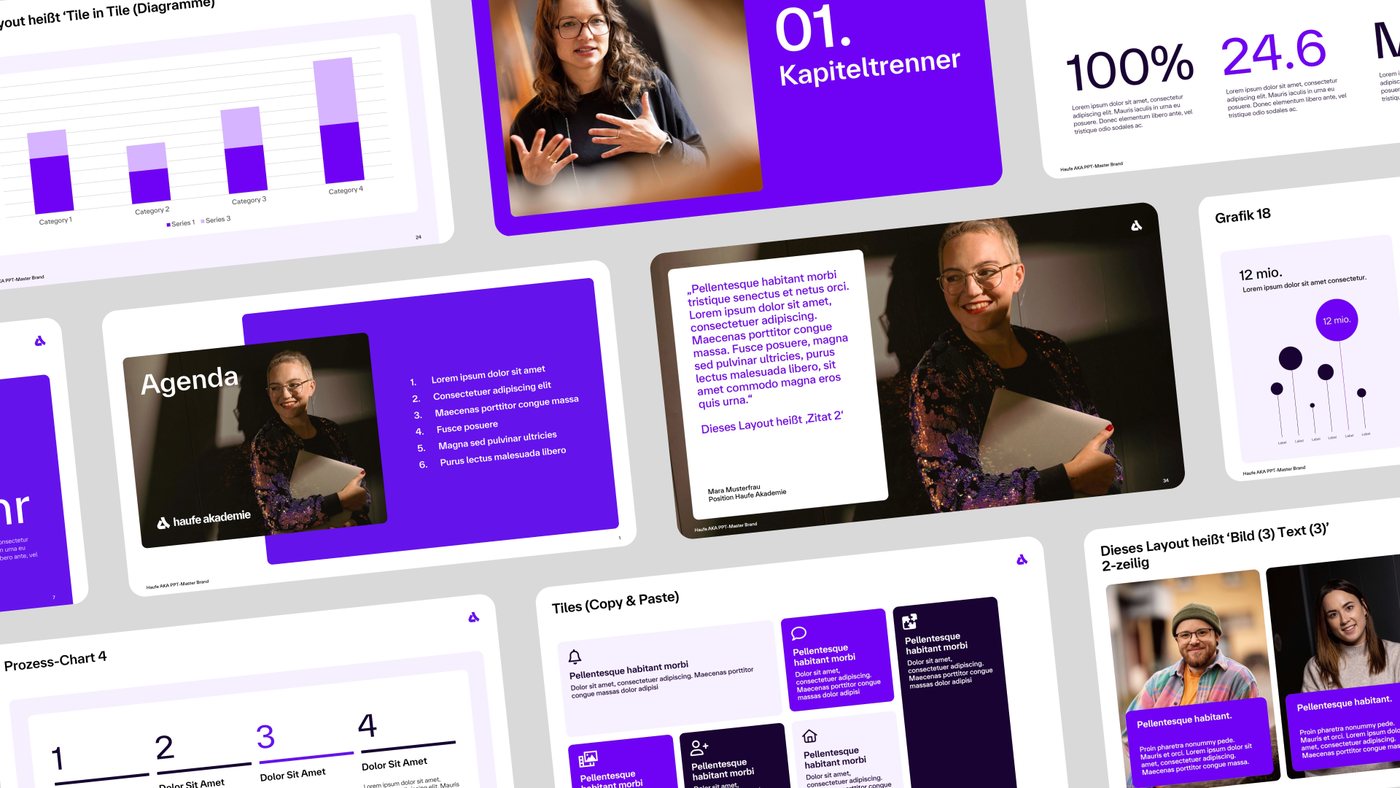
Haufe Akademie
One main master with 17 themes for 17 brand and product areas, plus style guide and chart pool.
-
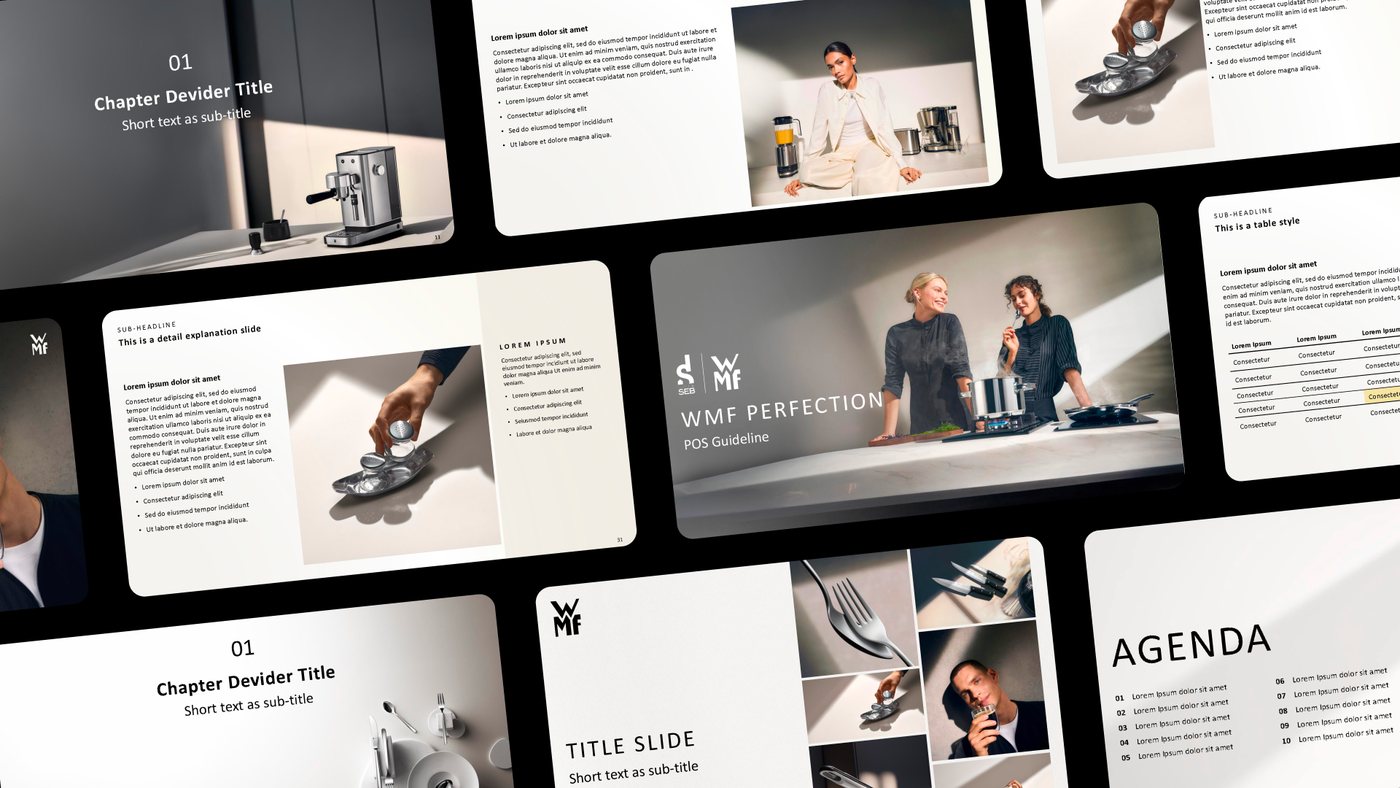
WMF
One master for text-heavy strategy decks and for product-driven sales presentations.
-
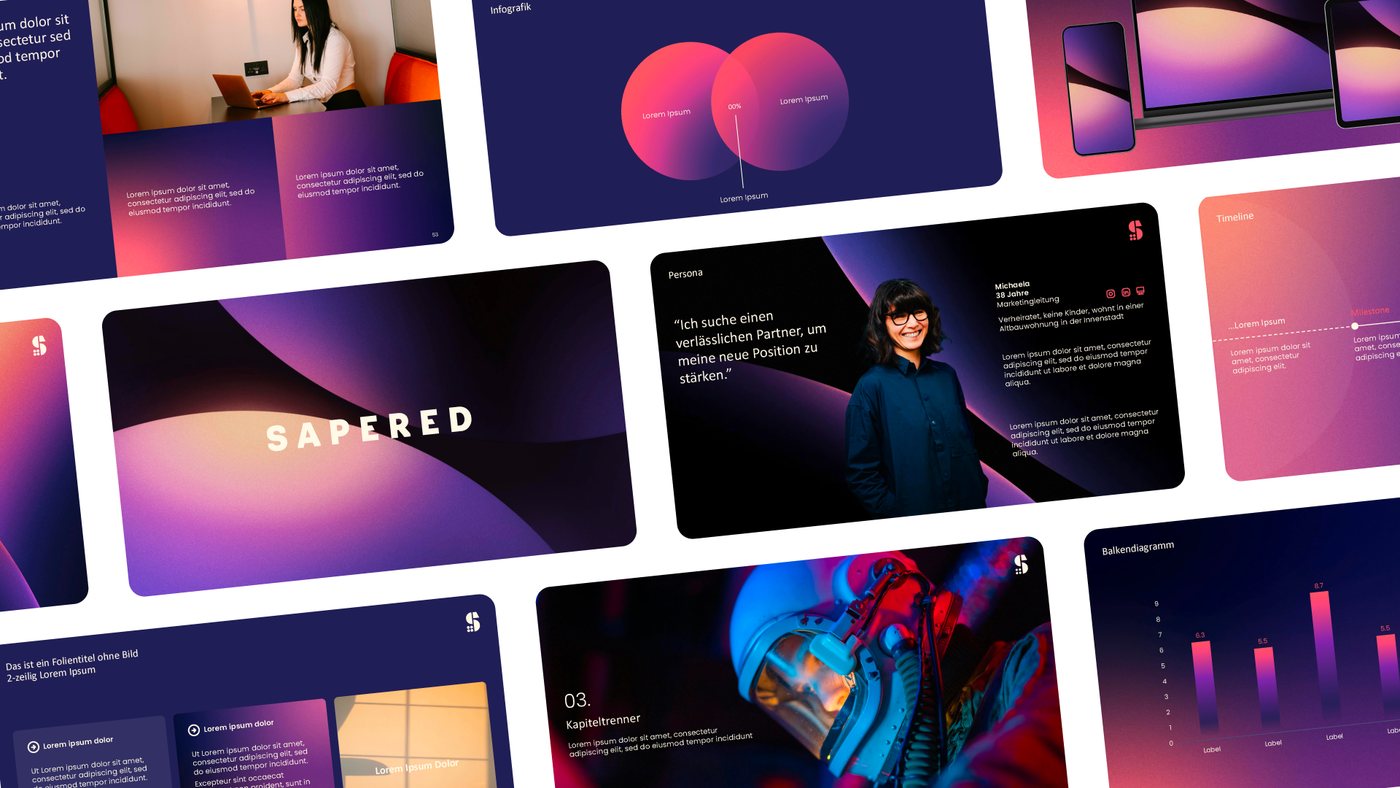
SAPERED
The master rethought for the second time, with a refreshed corporate design, style guide and chart pool.
-
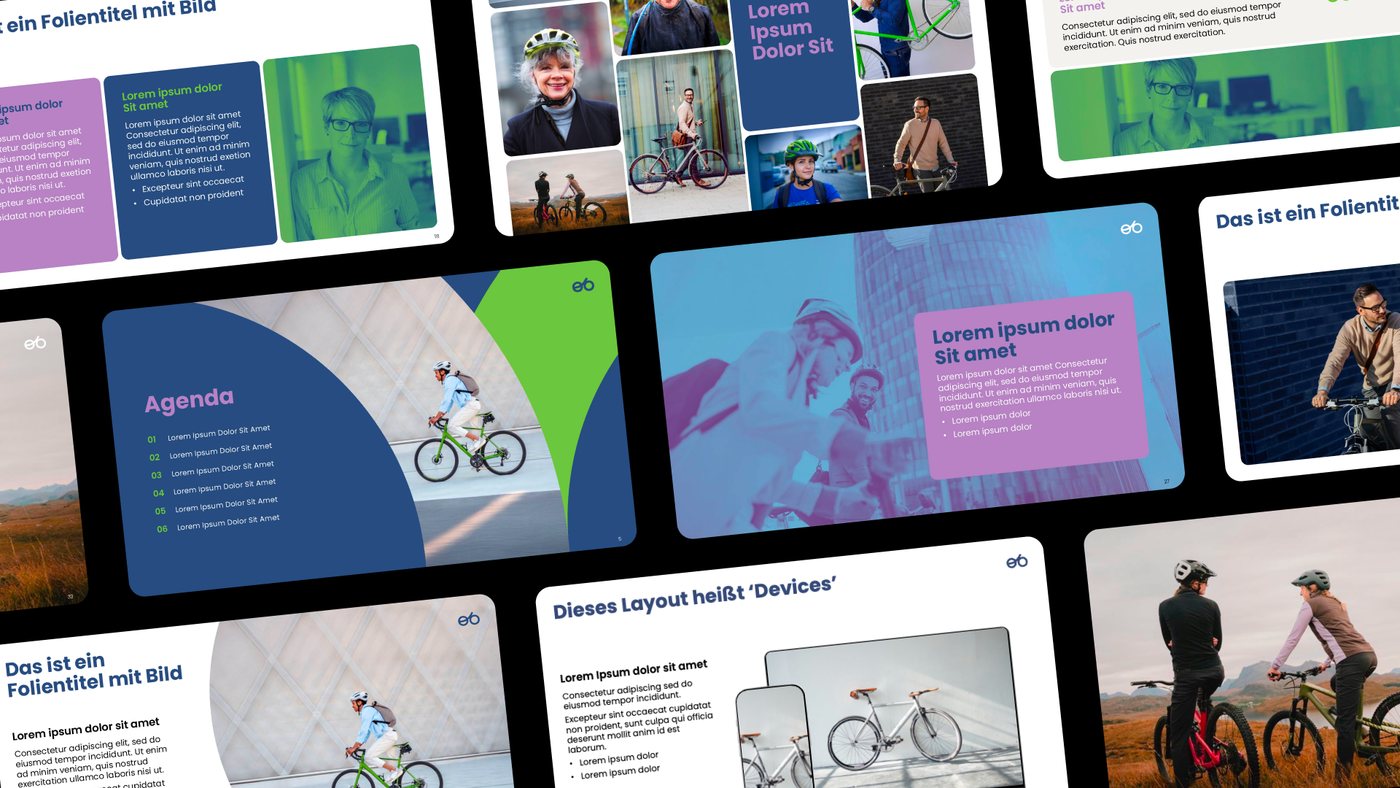
eurorad
The new corporate design after the relaunch, turned into a modular system for pitches and client meetings.


“Pitch Department delivered a presentation system that has changed our communication for good. With 17 themes and design worlds, our teams can now present professionally, quickly and effectively in every business unit.”
More master projects: MSQ DX, VC Wiesbaden, Vicoland, YeaHR!, econio and RheinRiff. See all projects →
Frequently asked questions about PowerPoint masters
How much does a custom PowerPoint master cost?
A master starts at EUR 5,600 net; the presentation system with chart pool, icon library, user guide and team walkthrough starts at EUR 8,600 net. The exact price depends mainly on the number of layouts and language versions. We give you a firm figure in the intro call.
How long does a master project take?
Usually four to five weeks. The pace depends most on the feedback rounds on your side.
Does the master work with Microsoft Copilot?
Yes. We build every new master with real placeholders and clean styles that Copilot can read, and we test it with Copilot. The same applies to ChatGPT and Claude. The AI-ready build comes at no extra cost.
Can you rework our existing master?
Yes. The AI check shows what is missing. A retrofit is often enough, and your team keeps working with the template it knows. The check normally costs EUR 950 net, credited against a retrofit. Until 30 November 2026 it is free of charge.
What is the difference between a master and a template?
The slide master is the technical foundation in PowerPoint: layouts, placeholders, colours and fonts. A template (.potx) is the file your team uses to start new presentations. We deliver both.
Do you work for agencies?
Yes. Agencies commission masters from us for their own clients. If you prefer, we deliver white-label and do not appear in front of the client.


